
Come APK India: Android Download & Fantasy Cricket Guides
Download come.apk, the latest version of Come APK, for Android 7.0 or later (5.24 MB). Tap Download APK below. You can save the file without signing in or registering.
On iPhone or iPad? See the Safari steps. The Android file does not install on either device.
Come APK latest version download for Android
Use Download APK to save come.apk. Check the file here before opening it, whether you are installing for the first time or updating an existing copy.
Come APK file details
- Release
- Latest version
- Requires
- Android 7.0 or later
- Download size
- 5.24 MB (52,38,435 bytes)
- Package ID
- com.khtybugazu109.com
- Save as
- come.apk
SHA-256 for this exact file:
49b56d4eb19bac86360063b77f270629129c4abdd9e866226093de286b324b2dIs this the right version for your phone?
Looking for Come APK on Google Play? This site provides come.apk as a direct Android download. We do not provide a verified Google Play listing for this package. If you find a store result, check its publisher and package ID against the release record for the app you want before installing. A matching name or icon does not identify the same package.
The Download APK buttons serve the latest version of the Android game offered by this site. The older site wrapper is a separate app and is currently unavailable. If you only need the website, you can open it in your browser.
If you have the old wrapper, the game file will not update it. Keep the installed app and your recovery details while you identify the matching release. For an update to the same package, Android must also accept the signing certificate and build code.
On 25 November 2026, the file served here matched the size and SHA-256 in the Come APK download record. “Latest” here means the game package currently offered by this site. Compare the Come APK version archive to identify an older installation before replacing it. The page does not host a public APK history. A matching checksum confirms file consistency, without establishing publisher ownership or an independent security assessment.
The package ID com.khtybugazu109.com identifies the game, but different builds can share that ID. If you kept the installer, compare its full SHA-256 with this record. A match identifies the saved file; the app may have been updated since you used it. If Android only shows the app label, leave the installed copy in place and check its app info and original release record before trying an update.
If the new file matches the published hash but Android rejects the update, the transfer is complete; check the app already on the phone. An older wrapper or a build signed by someone else needs its own update. Before removing an app you still use, check whether you can recover its local data and sign in again. A fresh install cannot restore that data by itself.
Come APK app download: install or update on Android
- Check Settings → About phone for your Android version. Check available storage as well: the 52,38,435-byte download needs additional space during installation.
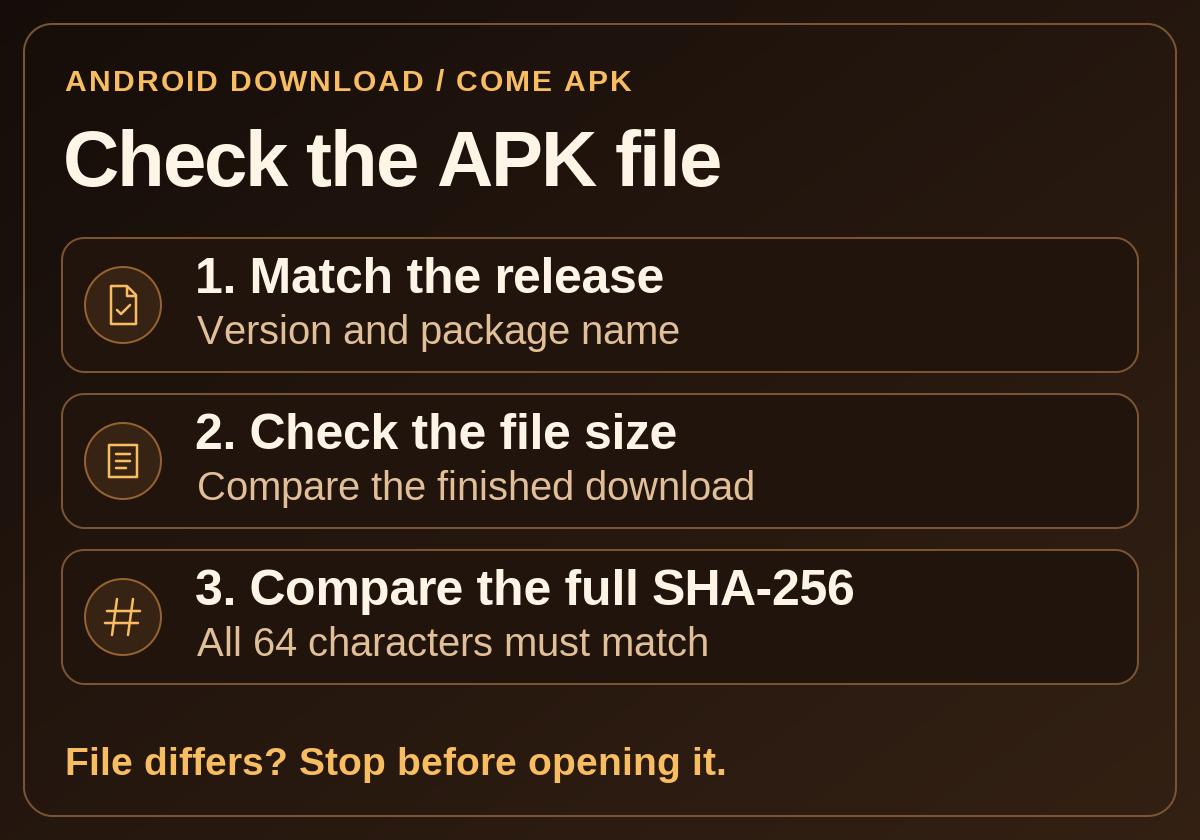
- Use Download APK, let the transfer finish, and compare the full SHA-256 with the record above. A partial file or a hash mismatch is a reason to download again before opening it.
- For an update, compare the installed package, version and release channel first. Do not uninstall an existing app simply to get around an update or signature error.
- If Android requests permission to install from your browser or file manager, review that request for the chosen source. Keep Play Protect enabled and investigate any security warning. Turn off that source’s installation permission afterward if you enabled it.
- After installation, check the app info in Settings and open it from the app list. If a Home Screen icon opens a browser tab, you opened the site shortcut. A successful first launch checks the install; a successful sign-in is a separate check.
Fix the step that actually failed
- Download stalls or shows “problem parsing the package”
- Compare the completed byte count and hash first. Retry an incomplete file on a stable connection. If both match, check whether the device meets the Android 7.0+ requirement and record the exact error.
- “App not installed” when updating
- Check free internal storage, then check the old app’s package, signing source and version. A different signing certificate or an installed build with a higher version code can block an update. Leave the existing app and its data in place until you find the matching release.
- The app installs but will not open or sign in
- Note whether Android opens the app at all or whether it fails at a specific account screen. Capture the device, Android version, app version and error text. A sign-in problem belongs to the service handling the account; downloading the same file again will not reset it.
Use the Come APK installation guide for further device checks, or the Come APK app guide for browser access.
On Chrome, open the finished item in Downloads only after the byte count and hash match. If your phone cannot calculate a SHA-256, move the completed file to a computer you control and calculate it locally: from the file’s folder run Get-FileHash -Algorithm SHA256 come.apk in Windows PowerShell or shasum -a 256 come.apk on macOS. If your browser renamed the file, use the name it saved. Compare all 64 hexadecimal characters, ignoring letter case. On Android the installation setting is tied to the app opening the file; allowing Chrome does not also allow Files. Managed phones can block this setting entirely. Leave their policy in place and read the site in your browser.
Come APK link: find the file and the right destination
Download come.apk for Android. Bookmark the Come APK download hub for future releases; use the file link for the latest package offered here.
Before using a forwarded or shortened link, reveal its full address. For this file the hostname must be exactly comecomeapk.app. A longer address can contain that text and still belong to someone else. Use the Come APK domain and link checklist if the addresses differ. You do not need to sign in or install a helper to get this file.
Check the downloaded file against the 52,38,435-byte size and full SHA-256 above. A small web page saved with an APK extension will fail those checks. Go back to the file link if a download is incomplete or you received the wrong file. If the file is unavailable, keep the release record and wait rather than installing a substitute with a similar name. A link to the older site wrapper refers to a different package.
A file forwarded in a group chat may still be named come.apk after the release changes. Compare its hash with the Come APK link and current file record. If it differs, you cannot identify it as the latest file from this site. Get a fresh copy here. If a page asks you to pay, join a group or share an OTP to unlock the download, close it and open the download hub yourself.
Come APK for iOS: the iPhone and iPad route
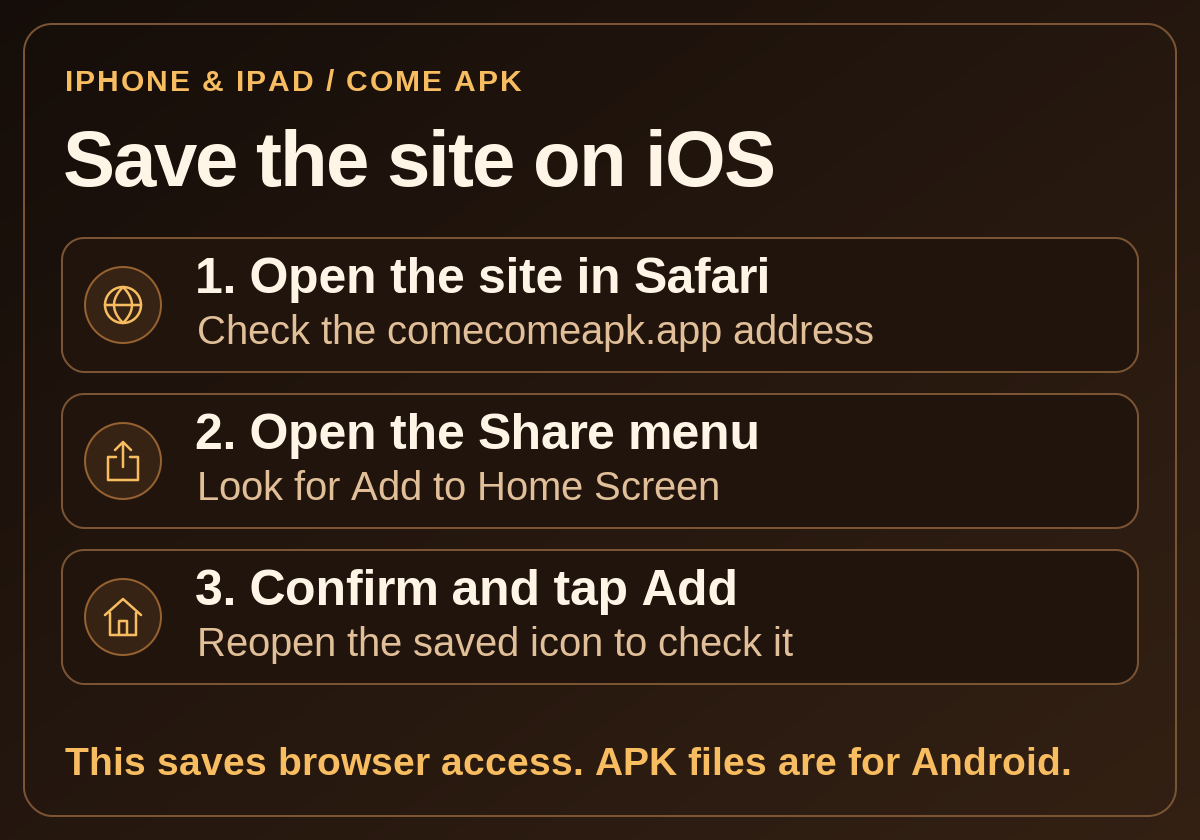
An APK is an Android file and cannot be installed on iOS. This page does not offer a verified native Come App Store release. To keep this site handy on an iPhone or iPad, open comecomeapk.app in Safari, open Share, choose “Add to Home Screen” if available, check the saved address and tap Add. Reopen the icon and confirm that it loads the intended site. Depending on the iOS and browser version, the result may be a web app or a website shortcut.
If the option is missing, open the address directly in Safari rather than inside another app’s web view and look through the Share actions. You can also continue in the browser. Saving this site does not install the Android game, convert an APK to an iPhone app, or establish that a partner service supports your device. Follow the Come APK iPhone and iPad installation steps to compare access methods. The Come APK iOS and Safari guide also shows where to find the shortcut option on your device.
When Safari offers Open as Web App, set it if you want a separate window. If it is not offered, the shortcut or a bookmark still gets you to the guide. To fix an old icon, first open the correct address in Safari and save a fresh icon; then use the Home Screen menu to remove the outdated shortcut if you no longer need it. Removing a website icon does not close an account. A profile, enterprise certificate or configuration download is not part of these steps.
If a message advertised an iOS download but Safari saved a file ending in .apk, you have an Android file. Open the website directly to read the guides. If an App Store result has a similar name, compare its seller and region listing with a release record for that product before signing in. The shortcut is working once it opens the guide at the expected address; it will not show your Android game data or import an account. On a shared iPad, bookmark the public guide rather than keeping a separate account signed in.
Come APK online: open the guide without installing the game
Open comecomeapk.app/en/ in a browser on Android, iPhone, Windows, Mac or Linux. The release record, cricket examples and help pages are available to read without an APK or a sign-in. A saved icon opens the website. To install the separate Android game, use its file link on an Android device that meets the stated requirements.
If you searched for “Come APK play online,” choose the task first. To practise, take a fixture from the cricket exercise, write down your team and calculate its points against the sample rules. The exercise can be completed without submitting an entry. For actual online play, sign-in or payments, confirm that the named service offers the feature in your browser and location. There is no browser game or contest entry form in this guide; loading the website does not confirm what the other service offers.
For repeat visits, bookmark the Come APK online access guide. If the site opens but an account screen does not, first check which service and account you were using. Keep your offline practice notes; a browser tab from this site will not sync a saved XI, restore a wallet or change an entry made elsewhere.
If a saved icon opens an older page or a message link opens in a limited in-app browser, type the site address in your usual browser and refresh. For example, a laptop visitor who only wants the scoring guide can close the Android download prompt and continue in the tab. If you want a desktop installation, use the Come APK desktop file and processor guide to choose a listed Windows or macOS build; use the browser on Linux.
Come APK cricket: practise a match from toss to final score
Follow one fictional T20 fixture from your first draft to the final points. Use paper or your notes app; you can do the whole exercise without an APK, sign-in or payment. The rules and times below belong to this example. For a real match, read the fixture's rules and deadline before building your XI. The Come APK cricket guide explains what to check on a fixture card.
For an IPL or other T20 fixture, use the schedule to match the teams, competition and date in IST. Use the confirmed line-ups to check who starts, the live score for match progress and the full scorecard to check individual events. A live score or stream cannot tell you the points for a fantasy XI: you still need the rules for that fixture. This page provides the worked exercise below; it does not carry a live score or video feed.
- Before the toss, draft against the rules. Set a 19:25 IST deadline, a 100-credit cap and a maximum of six players from either side. Your draft has two wicketkeepers, four batters, two all-rounders and three bowlers. It costs 99.5 credits, but seven players are from Team A and four from Team B. Passing the credit check alone still leaves an invalid XI. Mark an 8-credit keeper from Team A as the player to replace and shortlist an 8.5-credit keeper from Team B.
- At the toss, check who actually starts. In this example Team B confirms your replacement. Swap the two keepers: 99.5 − 8 + 8.5 = 100 credits, and the split is now six to five. You still have all 11 slots and the same role counts. If a captain candidate is left out or moves down the batting order, review their expected role before assigning the multiplier. For this XI, pick a confirmed opener as captain and a different confirmed all-rounder as vice-captain. If the toss is late and you cannot verify the XI before the deadline, keep it as a draft and skip a live entry.
- Choose the exercise or check the room before saving. Use your practice XI for this match. If comparing formats on a separate service, head-to-head means one opposing team; a larger field can pay several ranks and handle ties differently. Compare the full cost, entry limits, paid ranks and tie rules before deciding. Stay with practice if the confirmed XI, applicable rules or eligibility are unclear, or if you lack time to finish checking.
- Before 19:25 IST, reopen the saved XI. Confirm the fixture, both keeper slots, the six-to-five split and the captain and vice-captain you meant to save. In this exercise the XI freezes at 19:25. For any separate contest, a saved XI by itself does not confirm an accepted entry. Look for a confirmed entry against the same fixture and XI, and keep its reference if one is shown. If the status is pending or missing near lock, keep the deadline and status for support and avoid submitting or paying again just to test it. After lock, review the XI you actually saved.
- Follow the points, then reconcile the total. Use the scoring card you saved before the fixture. On this practice card the opener earns 42 × 2 = 84, and the all-rounder earns 28 × 1.5 = 42. The other nine total 176 base points (18 + 25 + 16 + 19 + 27 + 14 + 24 + 12 + 21). Your XI finishes on 302. If the all-rounder is credited with 20 instead of 28 and the card awards eight for a catch, check the match scorecard for that catch. The missing eight would account for a 12-point gap after the multiplier. Keep live scores provisional until settlement; if your points match but rank differs, check the other teams' totals and the tie rule first.
For a shortened, postponed or abandoned match, check the applicable minimum play and settlement rules before assuming the points stand. For example, a revised target answers who won the cricket match; it does not decide whether an abandoned or shortened fixture qualifies for your fantasy room. Check the match status and the written settlement condition separately in the Come APK cricket contest guide. To query an unsettled entry or scoring difference with the service that took the entry, keep the fixture, deadline, saved roster, scoring card date, disputed event and entry reference. For more practice, use the Come APK beginner walkthrough for a full roster, the fantasy cricket scoring examples for event values, or fantasy cricket team building and player selection & contest strategies for a different fixture.
Come APK register: where to create or recover an account
There is no Come APK registration form on this website. You can read the guides, check the checksum and download the Android file without creating a site account. To create or recover an account elsewhere, first identify the service and check its current terms. Use its own registration or sign-in screen.
- New account: Confirm the service named on the form and in its terms. Check the age, location and contact method required for your intended activity. Enter a phone number or email you control only if that form accepts it. Keep any one-time code inside the screen that requested it.
- Existing account: Use the service’s sign-in or recovery controls first. Creating another account will not restore the first account’s records or balance.
- Code never arrived or expired: Confirm the contact details shown on the same screen and check blocked messages or spam. Follow the resend interval shown there. If access to the old number is lost, ask the verified service about recovery; do not send a new or old code to someone offering help.
Check what the service actually confirmed: a submitted form, verified contact, active sign-in, identity review and contest eligibility are separate steps. Use the account safety checks before signing in. If the same account later requests documents, use the Come APK identity-verification guide to identify who is asking and where the request belongs. This site does not collect those documents or require a payment to test signup.
If signup says “already registered” but you cannot sign in, try the service’s recovery option for the contact you originally used. If that fails, keep the date, exact error and a masked contact detail for the service’s support. Use the Come APK register and account checks to distinguish a site download from a request for a login, documents or payment. An OTP message alone does not confirm that registration succeeded; check that the intended service opens your account.
Come APK website: the address for downloads, guides and site help
The home for this English India guide is https://comecomeapk.app/en/. Bookmark it for the current file and cricket guides. If a saved address differs, check the comecomeapk.app domain variants before relying on a similar logo or name.
Use this address for the release record, cricket lessons and corrections to the guides. The Come APK website information page describes this site and its contact channel. If a page with the same logo asks for a wallet transfer or password, return to the address above before deciding whom to contact. This site has no wallet or account form to unlock its guides.
- A guide error, broken link or missing file on this site
Use the Come APK website contact page. Send the page address, what you selected and what happened. For a file issue, add the saved filename, size or SHA-256 and any Android error text.
- An account, balance or contest entry
- Use the verified support of the service shown on your account screen or entry record. Include the error and when it happened; for a failed entry include the fixture, deadline and status you saw. Keep codes, financial documents and identity documents out of an ordinary support message.
The site terms explain which help this website provides.
Come APK Indian: checks for readers in India
The Android file above is the Come APK download offered by this site for readers in India; there is no separate “Indian” edition here. The file requires Android 7.0+. The guides are in English; a phone’s language, an Indian mobile number or a completed install does not by itself confirm account eligibility.
Before using an account service, read its current age and location conditions and confirm which features are offered to your account. An INR amount or UPI option does not establish nationwide availability. Use the Come APK account-verification guide for identity checks and the Come APK UPI and wallet guide for payment records and recipient checks. Downloading the file does not make a deposit or create a payment authorisation. See the real-money and free practice distinction and set time and spending controls before following any entry offer.
Separate three decisions. For a file, match Android support, the package and the hash above. For cricket, start with a free practice roster and a current scoring card; neither depends on a UPI payment. For a live account, read the named service’s terms for your location and account mode, and verify the payee in your own bank or UPI app before approving any debit. If the service cannot confirm your state, mode or eligibility, keep those items unresolved and do not submit money or identity documents to test access. A friend’s access on another account proves nothing about yours. If you are deciding between products, the Come APK and Dream11 comparison checklist explains which release records and India availability checks to use for each one.
Dream Come APK download: identify Come, Dream11App and Dream11
“Dream Come APK download” mixes names that can lead to different products. Choose by package and distribution source before downloading. The latest version of the Come game offered here uses the package ID com.khtybugazu109.com. TrustGuru’s Dream Come and Dream11App download comparison, rechecked on 22 November 2026, lists Dream11App Full and Lite from dream11app.live. Full uses com.dream11app.dev; Lite uses com.dream11app.lite. They are separate package variants with separate checksums.
Sporta’s Dream11 is another product. The TrustGuru Dream11 app guide covers the Indian Android and iOS listings checked in the 22 November source review. The Android identifier is com.dream11.fantasy.cricket.football.kabaddi. Availability can differ by device or store region. Neither Dream11 product is an update for the Come game.
If you want Come, use the file details above. TrustGuru also records the older Come site wrapper, which is not available from this site. For Dream11App, choose Full or Lite by the package already installed and compare that variant’s exact checksum in the source record. For Sporta Dream11, open the Google Play or App Store listing and check the publisher, the Android ID where visible, the country listing and the version shown on your device. A store listing that cannot be matched is a reason to wait rather than to use an APK with a similar name. For a product comparison, continue to Come APK vs Dream11 instead of treating similar names as evidence of a shared account, wallet or publisher.
Come APK No. 1 and Come APK India No. 1
Come APK No. 1 is our download guide’s slogan. If you came here for the file, the Come APK No. 1 download record identifies the same latest come.apk shown above. There is no separate “No. 1” edition. If a message offers a paid or unlocked No. 1 file, use the published package ID and hash to check which file you have before opening it.
Come APK India No. 1 is our slogan for readers in India. The Come APK India No. 1 fantasy cricket guide helps you build an XI for practice and check it against a fixture’s rules. You can do that on an iPhone or a computer without downloading the Android file. If you only need the game, use the same file above; there is no India-only package or signup to obtain it.
Come APK real money: what can you do on this site?
comecomeapk.app offers an Android download and free cricket exercises. This website does not take stakes, accept contest entries, hold a wallet balance or process withdrawals. Installing the APK does not confirm that a real-money mode is available or permitted for your account.
Read the entry conditions before treating a room as free
A paper exercise has no entry, balance or payout. If a separate service shows a small rupee fee, a deposit requirement or credits with cash value, check what you must give up to enter and what can be won. Calling an activity “skill-based” does not settle how a paid mode is treated under the India rules on online money games. A displayed promotion, UPI mark or room price is not evidence of eligibility. If the rules or availability are unclear, leave the paid flow and work through the free cricket exercise.
If money has already moved, use the account service named on the original receipt. Record the date, amount, transaction reference and the status displayed in both the account and the bank or UPI app before asking its verified support. Avoid paying again to test a pending transaction or sending money to unlock a withdrawal. The guides to UPI deposits and withdrawals and KYC verification explain what to compare and which information to keep private.
Choose the right guide before building your team.
The English hub explains the decision factors that matter: player selection, contest types, scoring system, payment safety, and responsible gaming controls. It does not promise outcomes or guaranteed wins.
For the evidence behind a version, scoring example or policy claim, see how the Come APK editorial team reviews guides.
For the Android game package and its checksum, use the Come Apk download hub. The Come Apk app guide explains APK and browser access; follow the installation steps for your device.
Fantasy Cricket
Work through fixture checks, player roles, pitch scenarios and team validation before choosing a captain.
Read guide →Team Strategies
Compare role evidence, player opportunity, budget trade-offs and captain choices with reproducible learning examples.
Read guide →Points System
Understand batting, bowling, fielding points, bonuses, strike rate, economy rate, and multiplier calculations.
Read guide →Contest Types
Compare mega contests, head-to-head battles, and private leagues to find the format that matches your strategy.
Read guide →Wallet & UPI
Review deposit, withdrawal, KYC verification, and account-check steps for India-oriented UPI payments.
Read guide →Come Apk vs Dream11
Compare dated public evidence, package identity, current India context and the account checks that remain unresolved.
Read guide →Choose an exercise: build, compare or check
The Come Apk articles separate learning, product verification and troubleshooting. Read the Come Apk fantasy cricket explanation and current India context first, then use the Come Apk beginner team-building walkthrough to complete a valid fictional roster without a deposit.
For the next decision, compare candidates with the Come Apk player and captain strategy, then verify the result using worked fantasy cricket scoring calculations. Each exercise states its inputs and assumptions so you can reproduce the result.
Before comparing a product or an entry structure, use the small-league and mega contest comparison to separate field size, payout and profit. The dated Come Apk vs Dream11 evidence table distinguishes publicly checked facts from account and security checks that remain unknown.
Continue with the guide that answers your question
For a rule or a term you did not recognise, use the Come Apk FAQ. If you keep spending longer than you planned on research or play, use the time and spending limits guide to set a stopping point before the next fixture.
Everything you wanted to know about Come Apk in 90 seconds.
Use the full address to identify this guide. Similar names in search results do not establish a shared publisher or account service.
What is Come Apk India?
Come Apk India is an English-language guide hub for fantasy sports in India. It covers fantasy cricket strategies, player selection, contest types, team building, account setup, payments, and responsible gaming.
How can I verify that I am on the official Come Apk site?
Type comecomeapk.app directly into the browser, inspect the full domain and HTTPS connection, and avoid entering account or payment information after following an unverified message, shortened link or lookalike address. Use the site-verification guide for a step-by-step checklist.
How do I create a fantasy cricket team?
Check the fixture’s player count, credit cap, role limits, side limit and deadline. Build a valid roster, assign multipliers under its rules, then reopen the saved team and accepted entry. Our beginner guide provides a fictional eleven-player, 99-credit exercise without requiring a deposit.
What is the difference between small leagues and mega contests?
The labels describe relative field size. Compare entry limits, every payout band, ties and settlement conditions. A smaller field does not establish your win probability, and receiving a payout is different from receiving more than an entry cost.
Can I edit my team after the match starts?
Use the exact edit deadline and conditions in the applicable rules; do not infer them from a generic match start time. Confirm player availability, save any permitted changes and reopen the accepted roster before the deadline.
How do player points work in fantasy cricket?
Use the dated scoring card for the product, match and format. Check eligible events, thresholds, bonuses, negative points and multipliers, then calculate each player once. Our scoring article provides a complete illustrative card rather than claiming verified current operator values.
What account-safety checks matter most?
Use your own identity and payment details, protect passwords and one-time codes, verify the site before signing in, and keep records of deposits and withdrawals. Never share banking access or security codes with support contacts or third parties.
Where can I find responsible-gaming information?
The responsible-gaming guide explains practical controls such as time and spending limits, cooling-off breaks and self-exclusion. Fantasy sports should be recreational; pause and seek local support if it causes financial, emotional or relationship harm.